CentOS Linux release 7.9.2009 (Core)
Oracle Database 11g Enterprise Edition Release 11.2.0.4.0 - 64bit Production
p13390677_112040_Linux-x86-64_1of7.zip
p13390677_112040_Linux-x86-64_2of7.zip
1. Oracle Database Product Install
# vi /etc/hosts
127.0.0.1   localhost localhost.localdomain localhost4 localhost4.localdomain4
::1         localhost localhost.localdomain localhost6 localhost6.localdomain6

192.168.56.101 ORA11g
# reboot# groupadd dba
# usermod -g dba oracle
# mkdir -p /oracle/backup
# chown -R oracle:dba /oracle
# usermod -d /oracle oracle# vi /etc/sysctl.conf
# oracle-rdbms-server-11gR2-preinstall setting for fs.file-max is 6815744
fs.file-max = 6815744
# oracle-rdbms-server-11gR2-preinstall setting for kernel.sem is '250 32000 100 128'
kernel.sem = 250 32000 100 128
# oracle-rdbms-server-11gR2-preinstall setting for kernel.shmmni is 4096
kernel.shmmni = 4096
# oracle-rdbms-server-11gR2-preinstall setting for kernel.shmall is 2097152 on i386
kernel.shmall = 1073741824
# oracle-rdbms-server-11gR2-preinstall setting for kernel.shmmax is 4294967295 on i386
kernel.shmmax = 4398046511104
# oracle-rdbms-server-11gR2-preinstall setting for kernel.panic_on_oops is 1 per Orabug 19212317
kernel.panic_on_oops = 1
# oracle-rdbms-server-11gR2-preinstall setting for net.core.rmem_default is 262144
net.core.rmem_default = 262144
# oracle-rdbms-server-11gR2-preinstall setting for net.core.rmem_max is 4194304
net.core.rmem_max = 4194304
# oracle-rdbms-server-11gR2-preinstall setting for net.core.wmem_default is 262144
net.core.wmem_default = 262144
# oracle-rdbms-server-11gR2-preinstall setting for net.core.wmem_max is 1048576
net.core.wmem_max = 1048576
# oracle-rdbms-server-11gR2-preinstall setting for net.ipv4.conf.all.rp_filter is 2
net.ipv4.conf.all.rp_filter = 2
# oracle-rdbms-server-11gR2-preinstall setting for net.ipv4.conf.default.rp_filter is 2
net.ipv4.conf.default.rp_filter = 2
# oracle-rdbms-server-11gR2-preinstall setting for fs.aio-max-nr is 1048576
fs.aio-max-nr = 1048576
# oracle-rdbms-server-11gR2-preinstall setting for net.ipv4.ip_local_port_range is 9000 65500
net.ipv4.ip_local_port_range = 9000 65500# /sbin/sysctl -p# vi /etc/security/limits.conf
# oracle-rdbms-server-11gR2-preinstall setting for nofile soft limit is 1024
oracle soft nofile 1024
# oracle-rdbms-server-11gR2-preinstall setting for nofile hard limit is 65536
oracle hard nofile 65536
# oracle-rdbms-server-11gR2-preinstall setting for nproc soft limit is 16384
# refer orabug15971421 for more info.
oracle soft nproc 16384
# oracle-rdbms-server-11gR2-preinstall setting for nproc hard limit is 16384
oracle hard nproc 16384
# oracle-rdbms-server-11gR2-preinstall setting for stack soft limit is 10240KB
oracle soft stack 10240
# oracle-rdbms-server-11gR2-preinstall setting for stack hard limit is 32768KB
oracle hard stack 32768
oracle hard memlock 134217728
# oracle-rdbms-server-11gR2-preinstall setting for memlock hard limit is maximum of 128GB on x86_64 or 3GB on x86 OR 90 % of RAM
oracle soft memlock 134217728# vi /etc/selinux/config
SELINUX=permissive# 설치할 파일을 해당 디렉토리에 업로드 해줍니다.
# /oracle/backup
p13390677_112040_Linux-x86-64_1of7.zip
p13390677_112040_Linux-x86-64_2of7.zip# su - oracle
$ vi .bash_profile
# .bash_profile
# Get the aliases and functions
if [ -f ~/.bashrc ]; then
. ~/.bashrc
fi
# User specific environment and startup programs
PATH=$PATH:$HOME/.local/bin:$HOME/bin
export PATH
########## Oracle Database Environment ##########
export ORACLE_BASE=/oracle/app/oracle
export ORACLE_HOME=$ORACLE_BASE/product/11.2.0.4
export ORACLE_SID=ORA11g
# when using a Oracle 10g or 11g version set the ORA_NLS10 environment variable to:
export ORA_NLS10=$ORACLE_HOME/nls/data
########## PATH/LIB ##########
export PATH=$PATH:$ORACLE_HOME/bin:.
export LD_LIBRARY_PATH=$ORACLE_HOME/lib:/lib:/usr/lib:.
export CLASSPATH=$ORACLE_HOME/JRE:$ORACLE_HOME/jlib:$ORACLE_HOME/rdbms/jlib:.
########## For Display by using Xmanager ##########
GETIP=`who am i | awk '{print $NF}' | tr -d ')''('`
export DISPLAY=${GETIP}:0.0
########## OS Environment ##########
umask 022
export TERM=vt220
export ORACLE_TERM=vt100
set -o vi
PS1='[${ORACLE_SID}]'`hostname`':$PWD> '
export EDITOR=vi
export LANG=C
export TMP=/tmp
export TMPDIR=$TMP
stty erase ^?
stty erase ^H
alias sp='sqlplus "/as sysdba"'
alias h='cd $ORACLE_HOME'
alias b='cd $ORACLE_BASE'$ source ~/.bash_profile$ xclock$ cd /oracle/backup/
$ unzip p13390677_112040_Linux-x86-64_1of7.zip
$ unzip p13390677_112040_Linux-x86-64_2of7.zip$ cd database/
$ ./runInstaller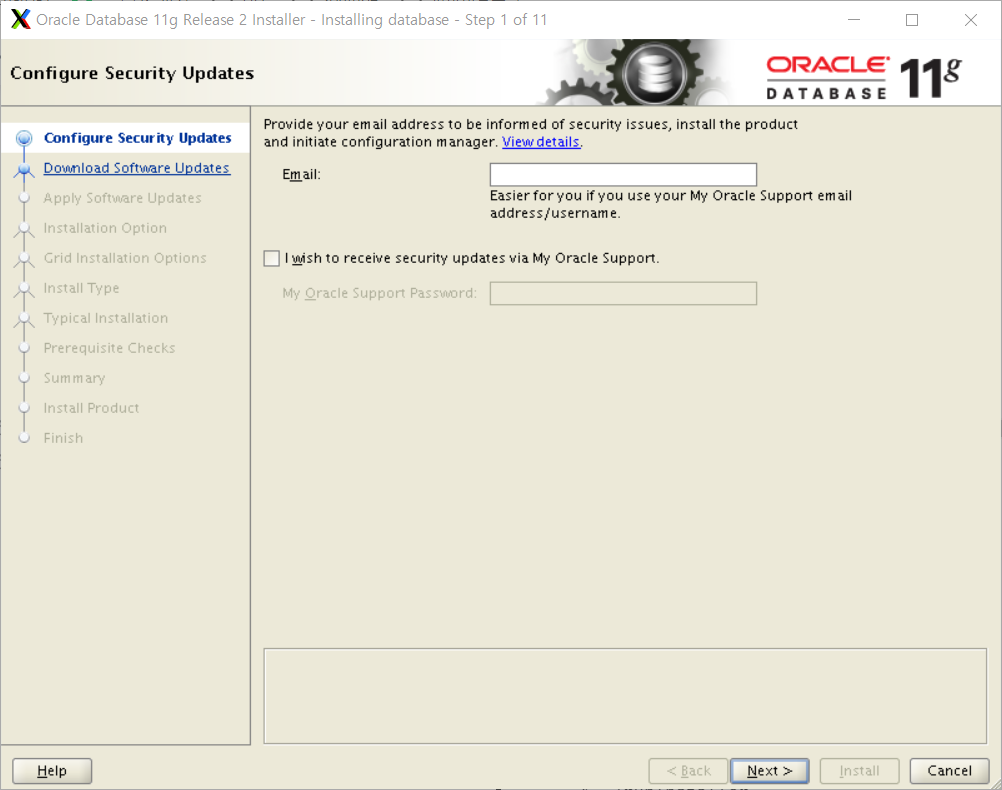

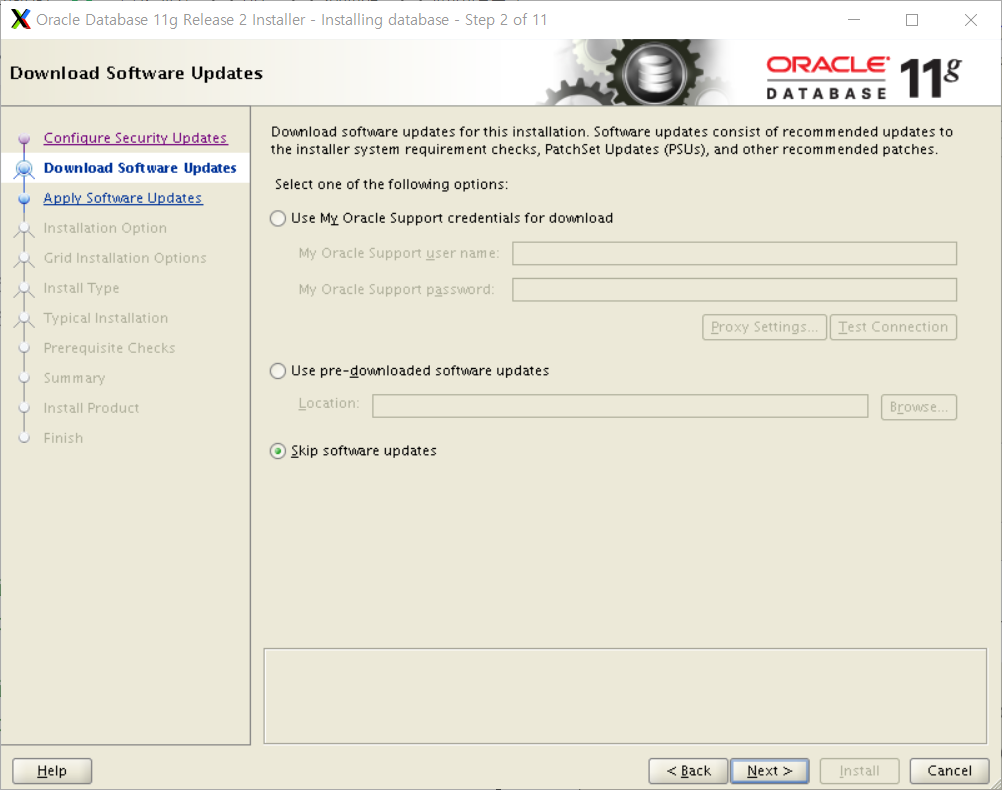
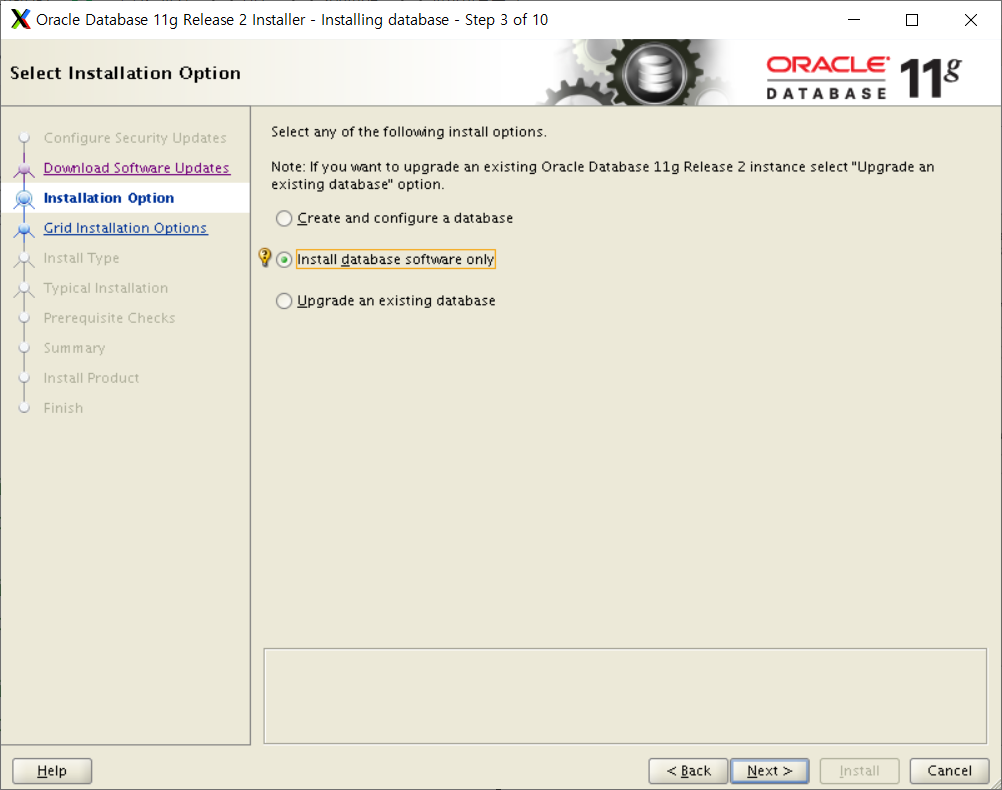
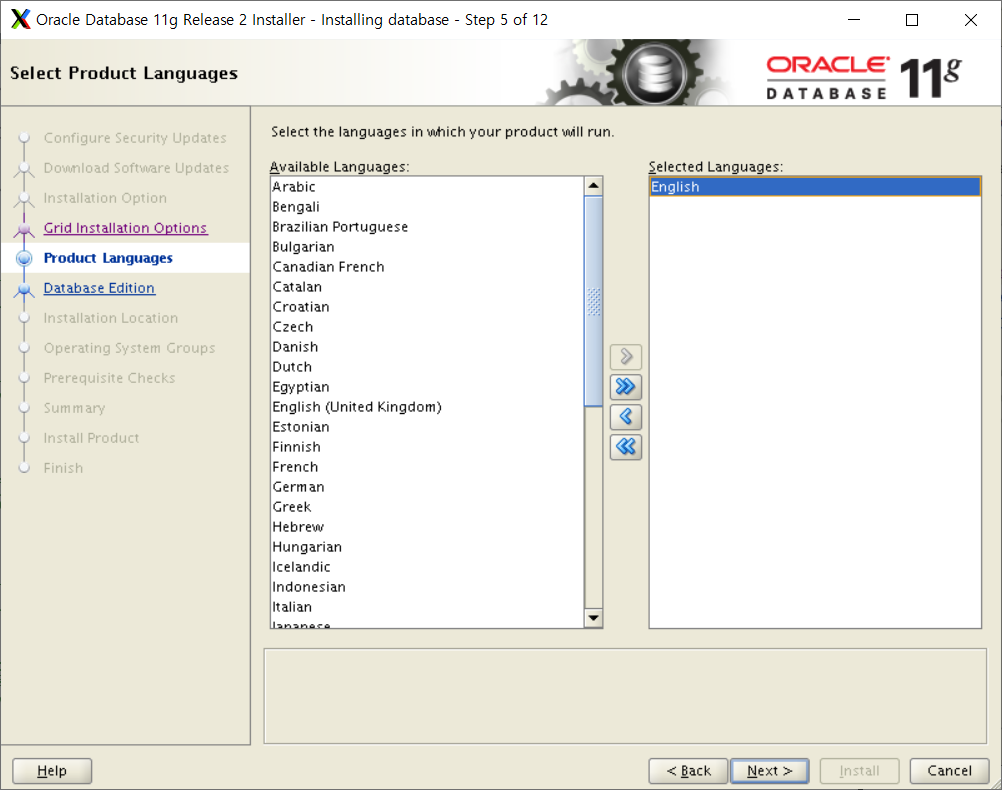
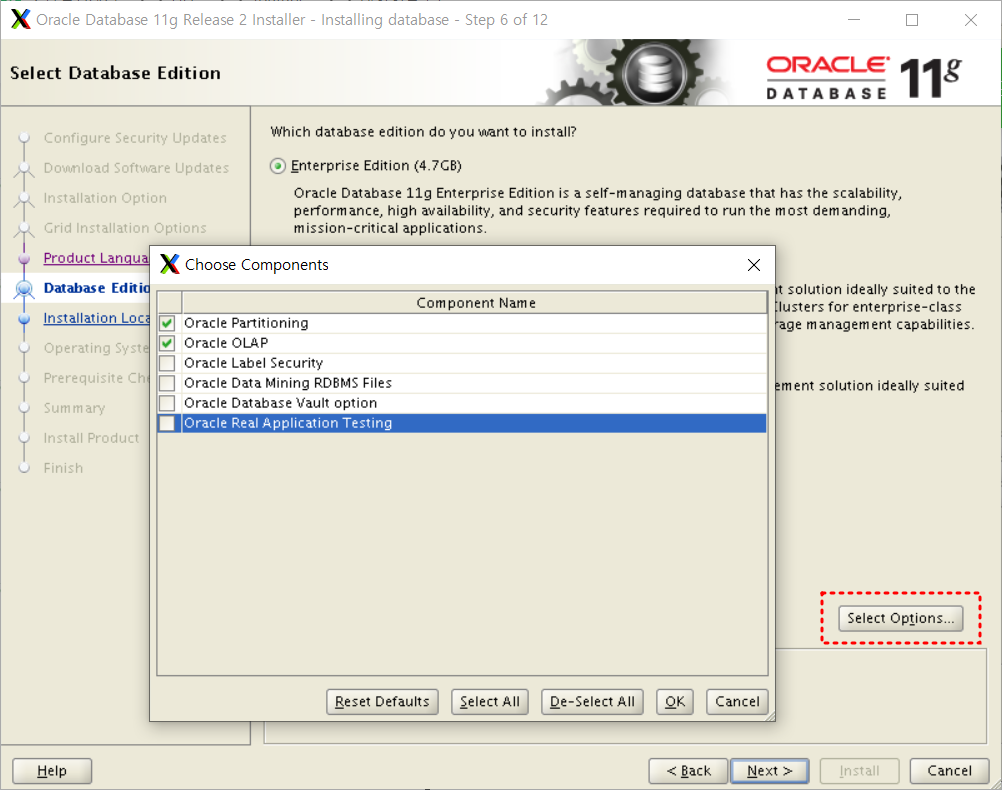
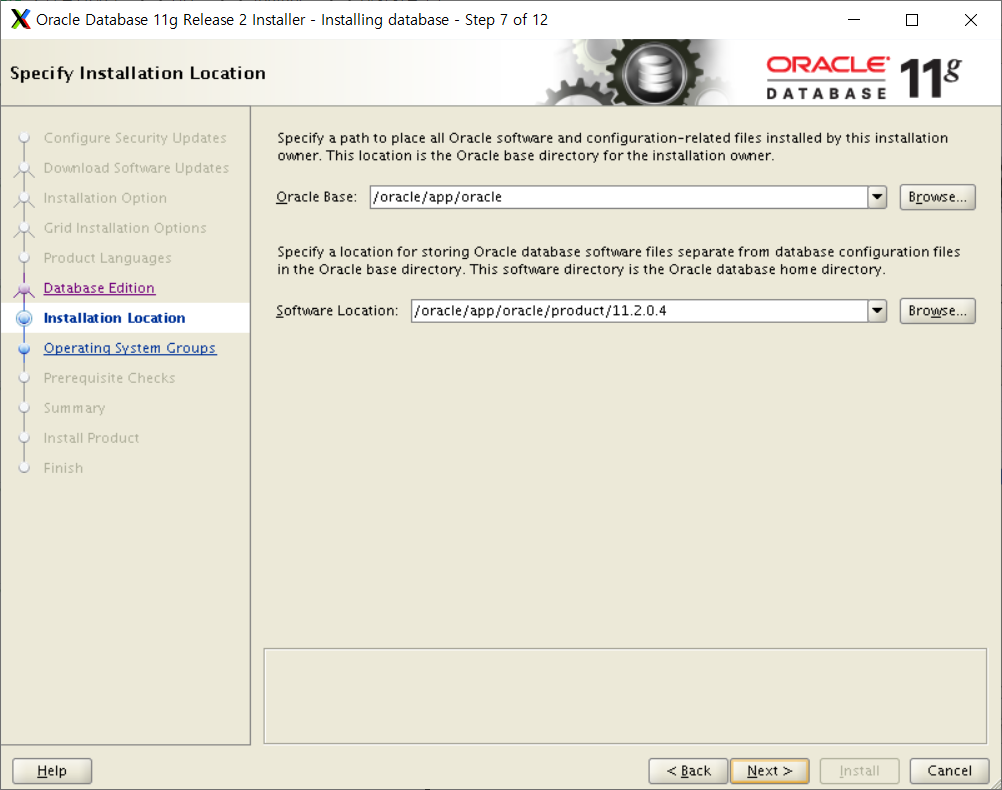


# yum install -y gcc*
# yum install -y libaio-devel*
# yum install -y compat-libstdc*
# yum install -y elfutils-libelf-devel*
# yum install -y glibc-headers*
# yum install -y libstdc*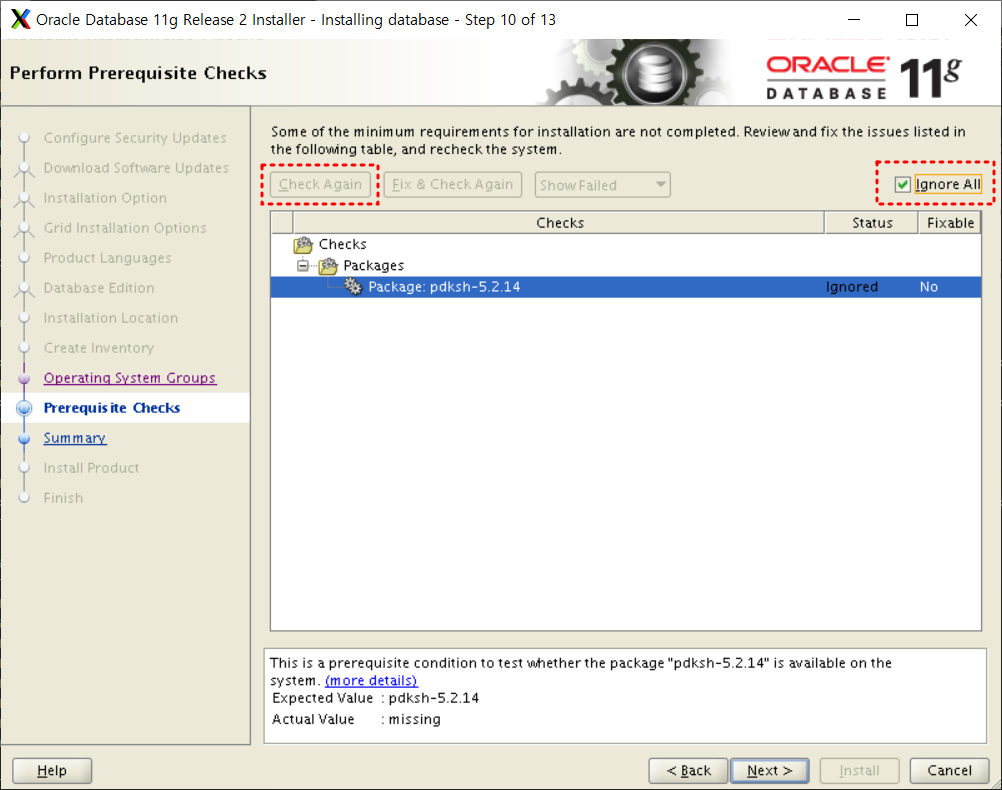
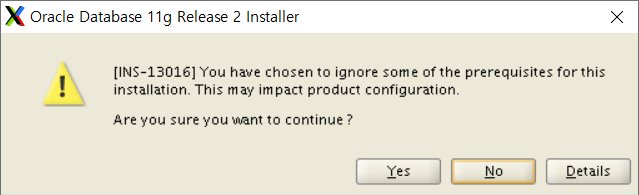


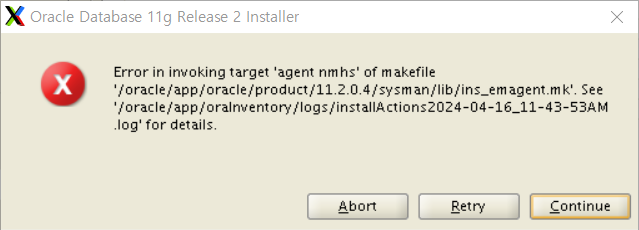
$ vi $ORACLE_HOME/sysman/lib/ins_emagent.mk

-- $(MK_EMAGENT_NMECTL)를 찾아서 -lnnz11를 붙여줌
$(MK_EMAGENT_NMECTL) -lnnz11
# /oracle/app/oraInventory/orainstRoot.sh
# /oracle/app/oracle/product/11.2.0.4/root.sh
Enter the full pathname of the local bin directory: [/usr/local/bin]: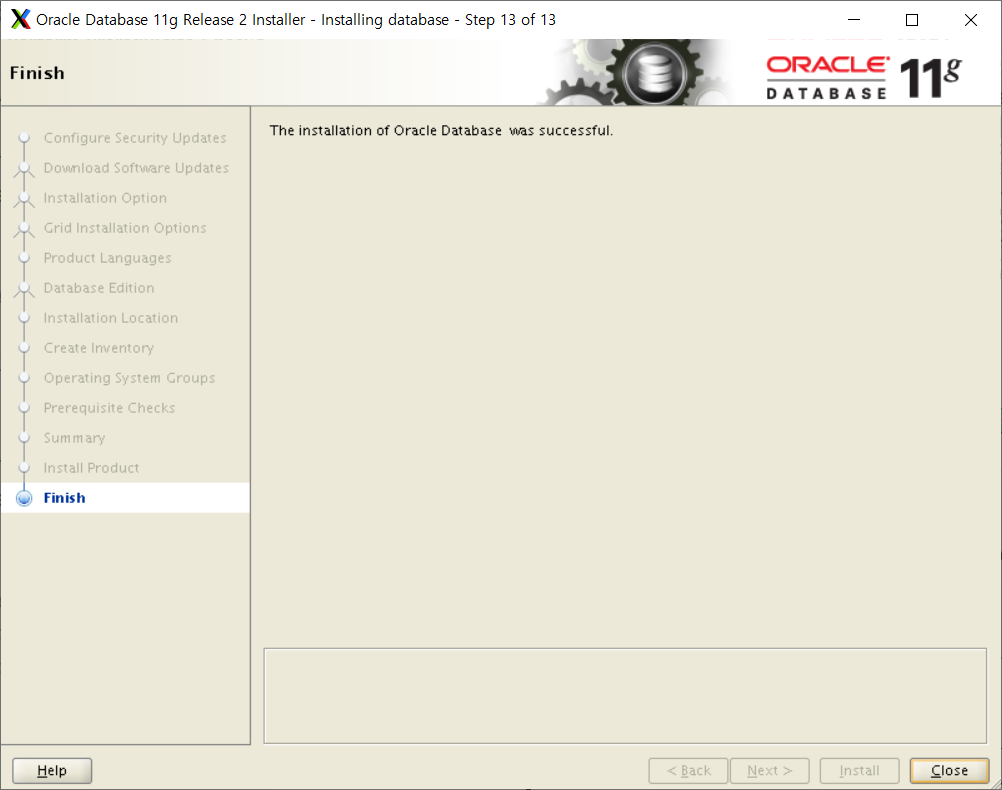
2. Oracle Database Listener
$ netca
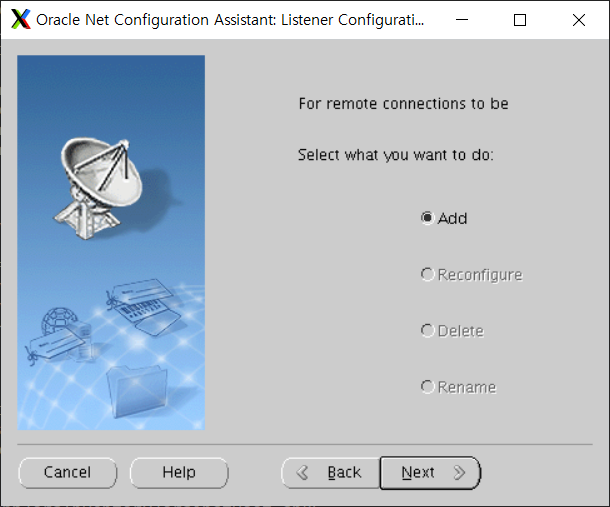

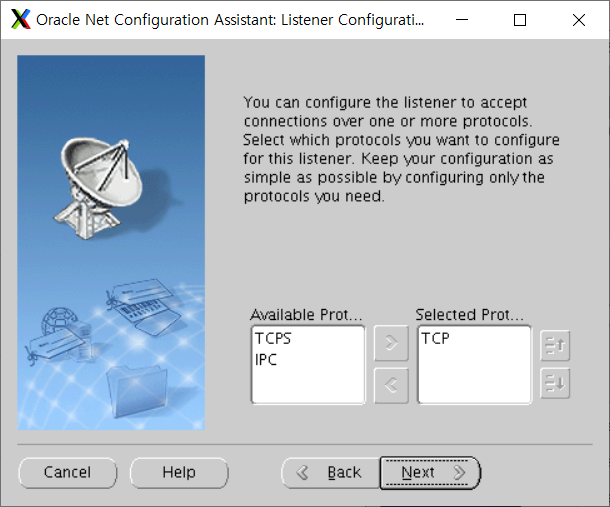


$ lsnrctl status

LSNRCTL for Linux: Version 11.2.0.4.0 - Production on 16-APR-2024 13:32:57

Copyright (c) 1991, 2013, Oracle.  All rights reserved.

Connecting to (DESCRIPTION=(ADDRESS=(PROTOCOL=TCP)(HOST=ORA11g)(PORT=1521)))
STATUS of the LISTENER
------------------------
Alias                     LISTENER
Version                   TNSLSNR for Linux: Version 11.2.0.4.0 - Production
Start Date                16-APR-2024 13:32:13
Uptime                    0 days 0 hr. 0 min. 43 sec
Trace Level               off
Security                  ON: Local OS Authentication
SNMP                      OFF
Listener Parameter File   /oracle/app/oracle/product/11.2.0.4/network/admin/listener.ora
Listener Log File         /oracle/app/oracle/diag/tnslsnr/ORA11g/listener/alert/log.xml
Listening Endpoints Summary...
  (DESCRIPTION=(ADDRESS=(PROTOCOL=tcp)(HOST=ORA11g)(PORT=1521)))
  (DESCRIPTION=(ADDRESS=(PROTOCOL=ipc)(KEY=EXTPROC1521)))
Services Summary...
Service "ORA11g" has 1 instance(s).
  Instance "ORA11g", status READY, has 1 handler(s) for this service...
Service "ORA11gXDB" has 1 instance(s).
  Instance "ORA11g", status READY, has 1 handler(s) for this service...
The command completed successfully
3. Create Database
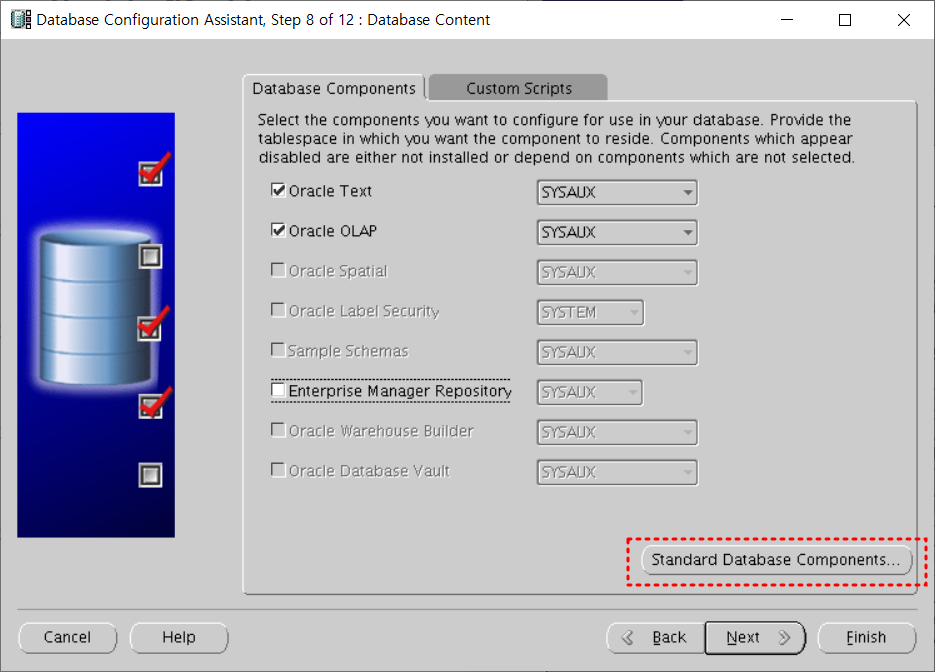
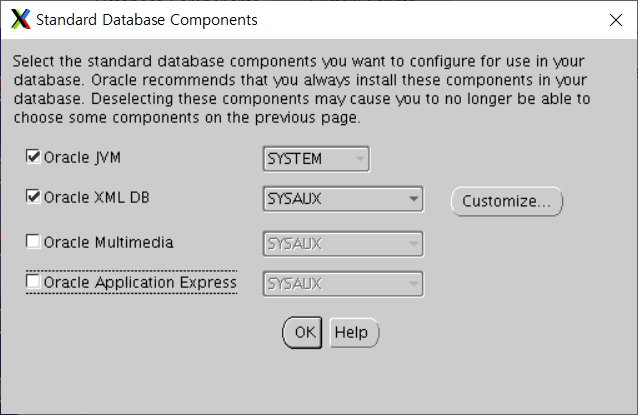
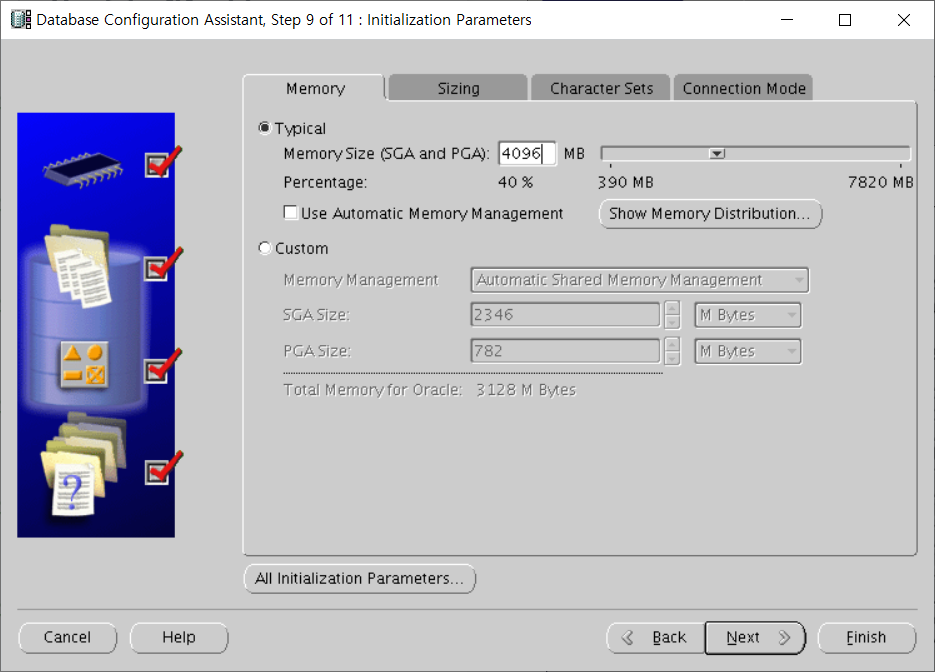
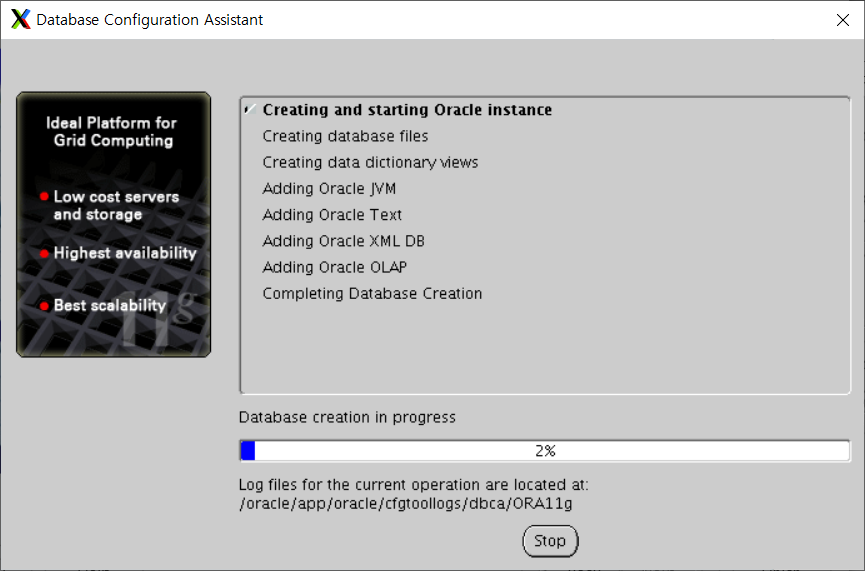
$ dbca
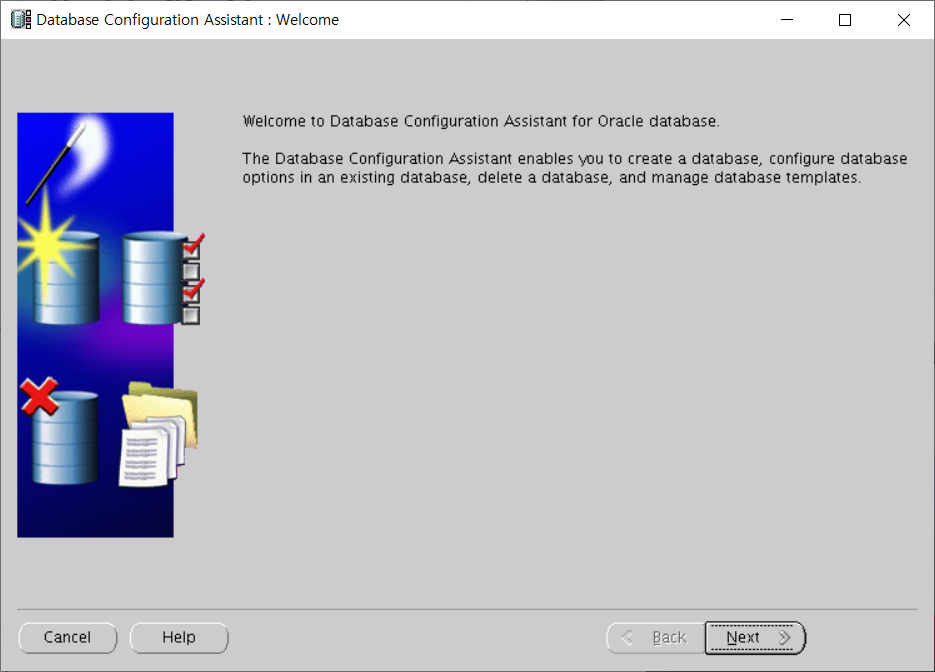
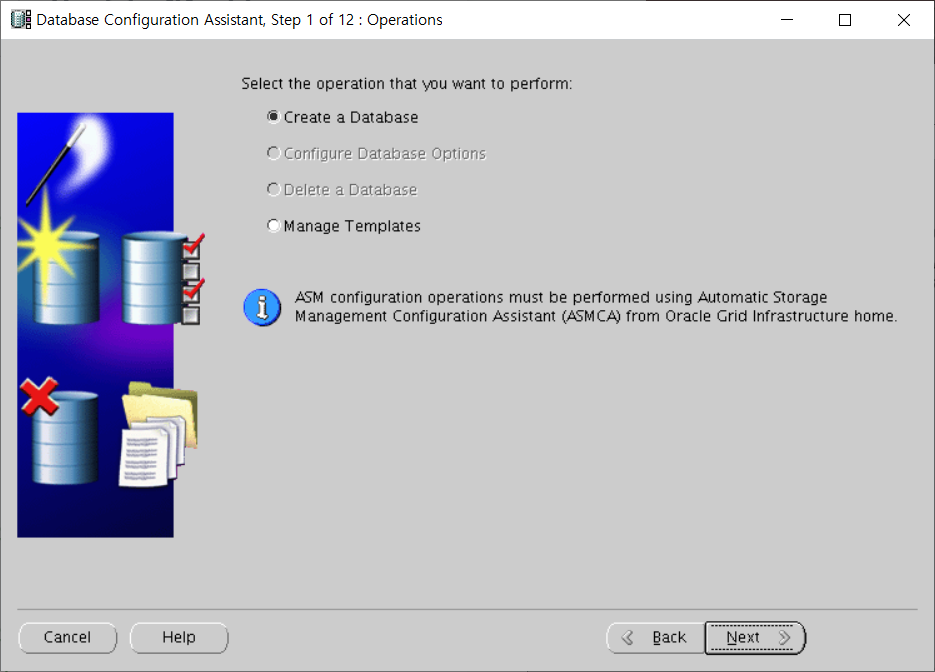


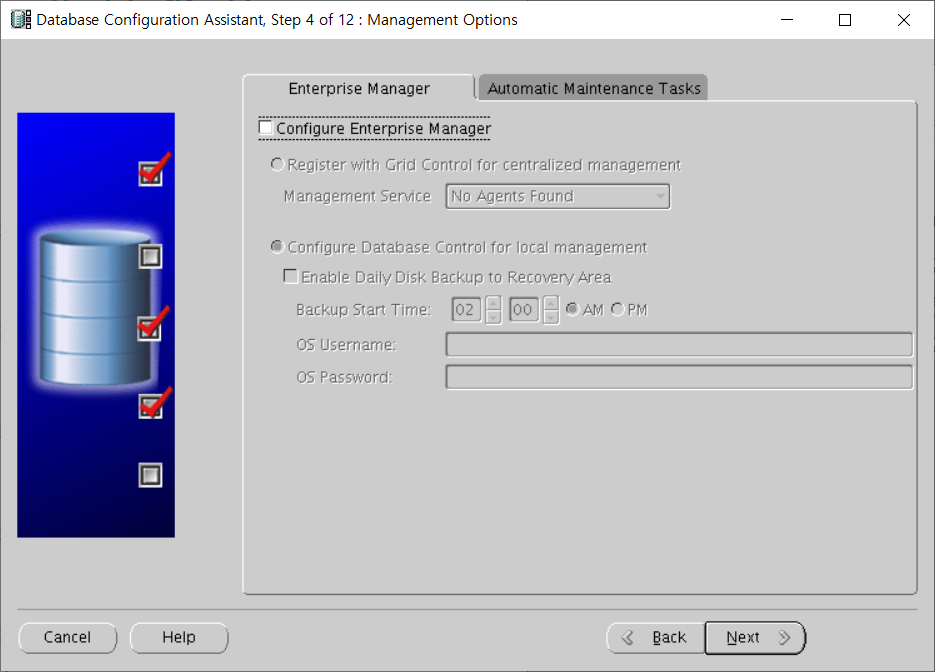




$ sqlplus "/as sysdba"

SQL*Plus: Release 11.2.0.4.0 Production on Tue Apr 16 13:33:41 2024

Copyright (c) 1982, 2013, Oracle.  All rights reserved.


Connected to:
Oracle Database 11g Enterprise Edition Release 11.2.0.4.0 - 64bit Production
With the Partitioning and OLAP options